Handling Gatekeeper
October 28th, 2020
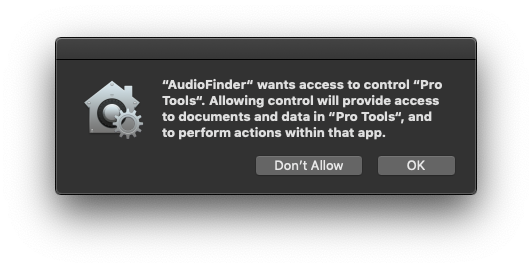
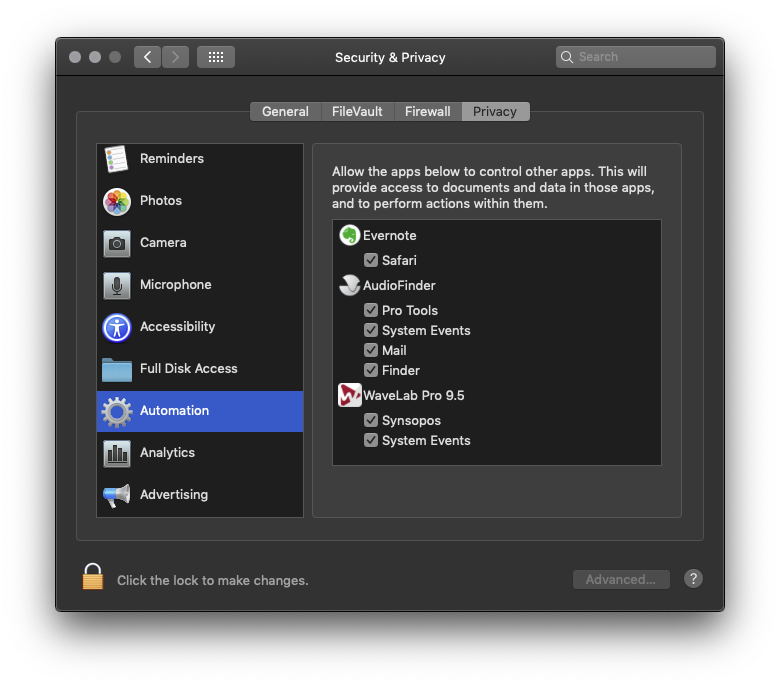
Here’s a great tutorial for working around macOS Gatekeeper
Currently Waves has not made their plug-ins 64 bit compatible for AU. Because of this they won’t work properly in AudioFinder. AudioFinder only supports 64 bit AU plug-ins.
Apple has changed the security features of macOS and broke the entire update system as you probably noticed. There’s a spurious read only disc error alert that comes up in Check for Updates
If Check for Updates fails, do the following:
0) Quit AudioFinder
1) Open Terminal.app
2) type the following:
xattr -dr com.apple.quarantine /Applications/AudioFinder/AudioFinder.app
Or download and reinstall:
https://icedaudio.com/AudioFinder5.dmg
Then going forward Check for Updates should work.
Note: as of 5.9.17 there’s a new folder structure that changed to get around the macOS Gatekeeper issues.
AudioFinder is now in the Applications folder directly and no longer in a subfolder. The former folder is renamed “AudioFinder Extras”
/Applications/AudioFinder.app
/Applications/AudioFinder Extras (folder has the manual and stuff)
Sorry for all the trouble, Apple keeps changing the OS. It’s difficult to support way back to 10.9 and the new OS because Apple wants everyone always updating to the latest. But working musicians like stable systems and I’m doing what I can to keep AudioFinder working without dropping older versions.
Did you browsing become mysteriously slow?  Check Preferences and see if “Exclude Aliases” is unchecked, if so, check it on.  What does this do?  AudioFinder opens files to render the waveform, if the alias points to a WiFi drive or NAS it will take a while for the OS to access that.
Having trouble with Recycle?
https://www.propellerheads.se/support/user/recycle/general-recycle/rex-shared-library/
The Hollywood Import Format looks like this:
TABS BETWEEN EACH ELEMENT AND A RETURN AFTER EACH LINE. NOT ALL FIELDS ARE IMPORTED.
1 (LIBRARY NAME) 2 (UNUSED) 3 (UNUSED) 4 (TAGS) 5 (FILENAME) 6 (GENRE) 7 (CATEGORY) 8 (UNUSED)